
Alarms
Every alarm is its own thing: a weekday alarm can be strict and a weekend one gentle.
The alarm list
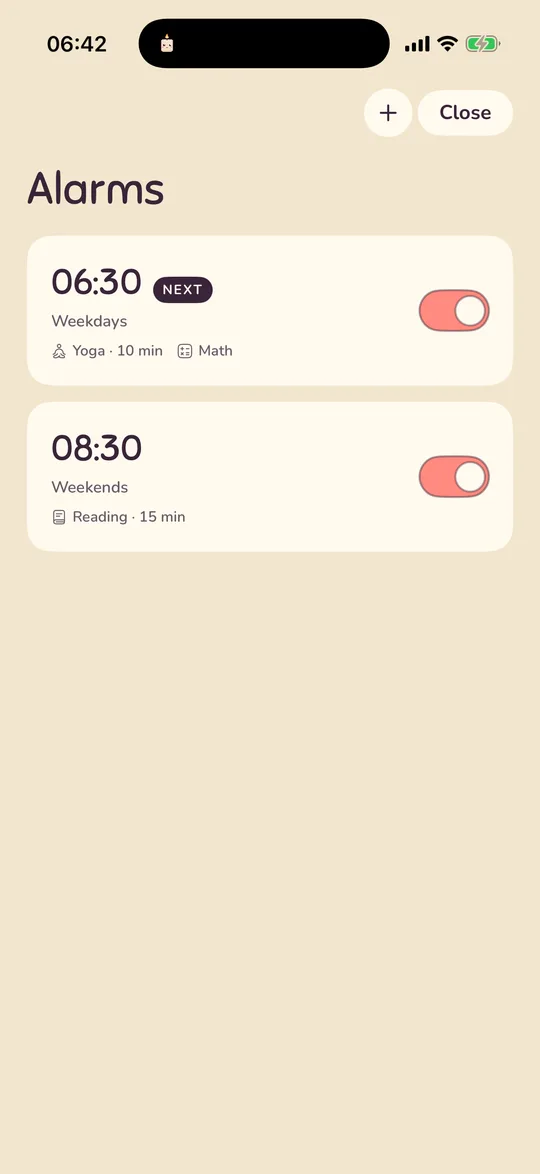
Tap the alarm-clock button at the top right of Home, or the alarm card itself. Each card shows the time, the days, the routine and the mission, with a switch to turn the alarm off without deleting it. The alarm that rings soonest carries a NEXT tag. Cards are sorted by time of day. There is no limit on how many alarms you keep.
+ makes a new alarm. A new alarm starts at 07:00 on weekdays, copies the routine from your most recent alarm, and gets a typing mission if you chose the firm wake during onboarding.
The editor
Tap an alarm to edit it. Save also turns the alarm on. The sections, top to bottom:
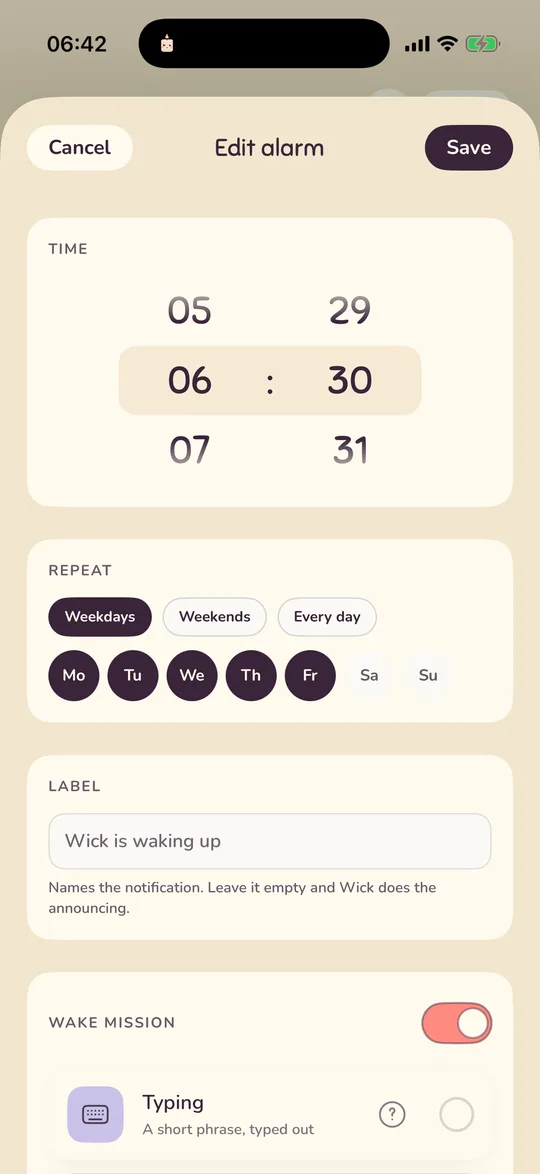
- Time. A wheel for hours and minutes. It follows the 12 or 24-hour setting from Settings → Clock.
- Repeat. Chips for Monday to Sunday, plus Weekdays, Weekends and Every day. With no days picked the alarm rings every day.
- Label. Up to 60 characters. It names the notification or the system alert. Leave it empty and it reads "Wick is waking up".
- Wake mission. A switch, then the six missions below.
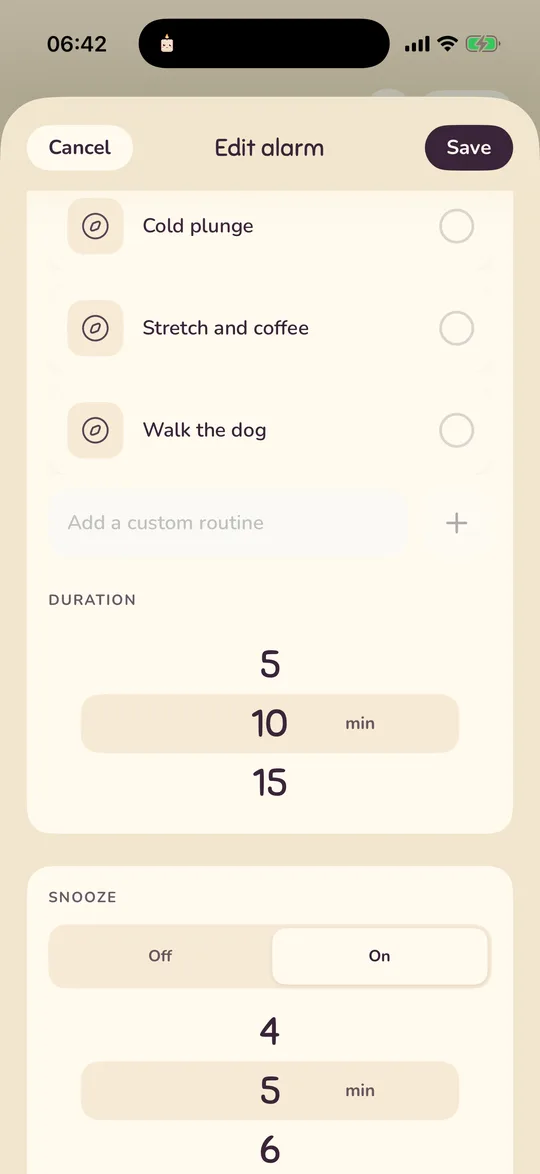
- Routines. A switch, the five built-in routines, your custom ones, and a duration wheel.
- Snooze. Off or on, how many, and how long.
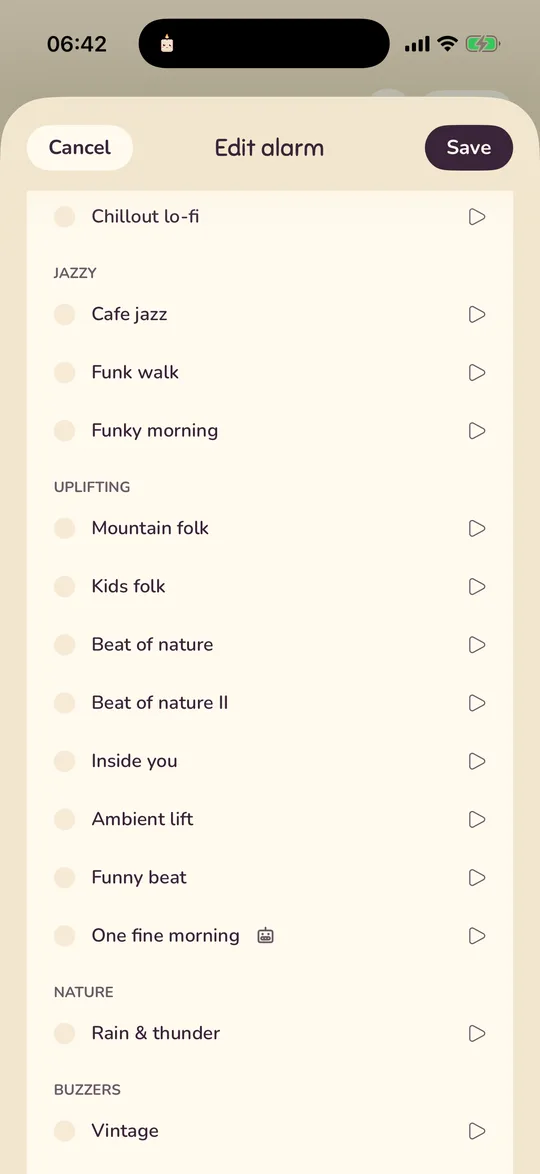
- Sound. Eighteen tracks; tap one to hear it.
- Test. Rings this alarm for real in ten seconds.
- Delete alarm.
Wake missions
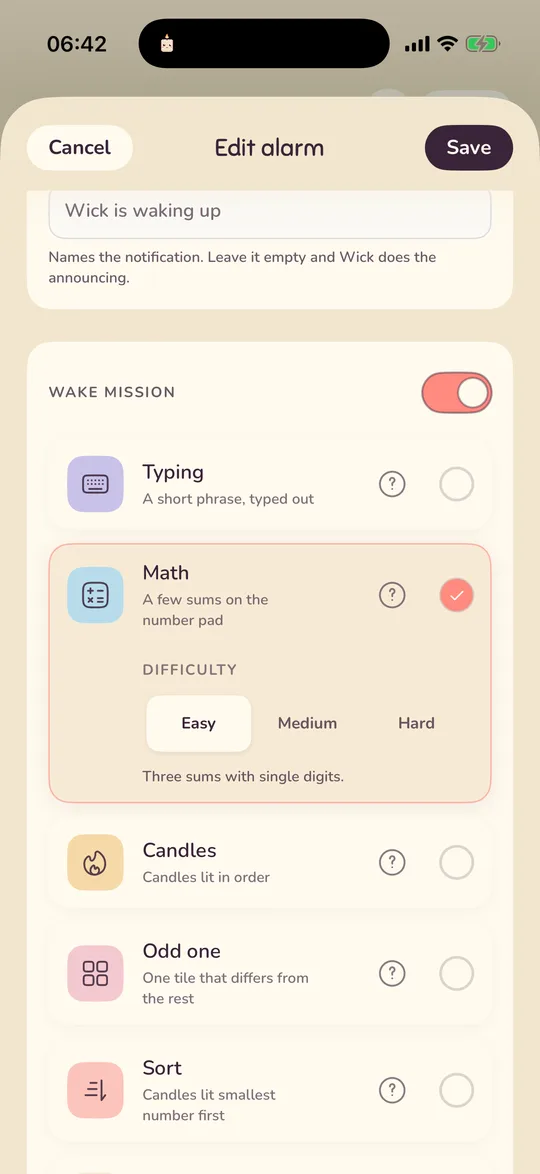
A mission is a small task between the alarm and the rest of the morning. With the switch off, the alarm stops with a tap on iOS 26 (then Wick's screen opens) or a 0.6-second hold on iOS 17, 18 and Android. With it on, pick one of six and a difficulty. The ? on each row plays a clip of it. Dawnling never raises the difficulty on its own.
If a mission is beyond you one morning, Hold, I'm up on the wake screen (a 0.6-second hold) skips it. The alarm is not a punishment, and a skipped mission costs nothing.
| Mission | Easy | Medium | Hard |
|---|---|---|---|
| Typing Type the phrase shown. Case and spaces at the ends don't matter; autocorrect is off. | 1 phrase | 2 phrases | 3 phrases |
| Math Sums on a number pad. Answers never go above 999. | 3 sums with single digits | 3 sums with two-digit numbers and times tables to 12 | 3 medium sums plus one like (a × b) + c |
| Candles Light them in the order they were lit. A wrong tap blows them all out and starts over. | 5 candles | 7, and the unlit ones shuffle after the third and sixth tap | 9, shuffling after every tap |
| Odd one Find the tile that differs. A wrong pick brings a new board. | 6 tiles, 3 rounds | 12 tiles of rotated or flipped look-alikes, 3 rounds | 20 tiles of letters and digits, 4 rounds, and the odd tile moves every 2.5 seconds |
| Sort Light the candles smallest number first. A wrong tap starts over. | 5 numbers from 1 to 20 | 7 numbers from 10 to 99 | 9 three-digit numbers, often close together |
| Random | Picks one of the five when the alarm rings, at the chosen difficulty. | ||
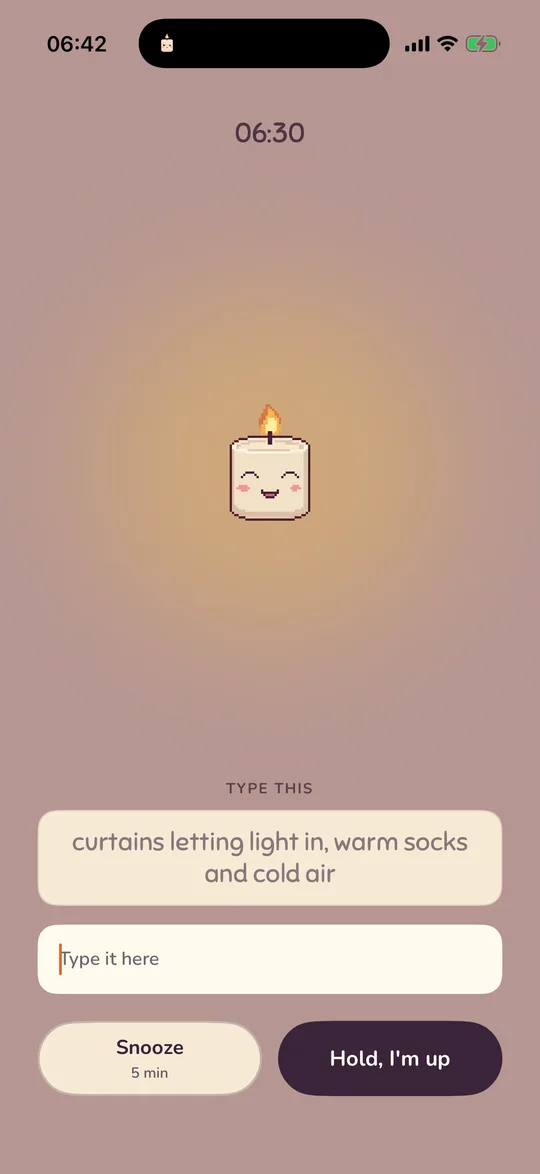
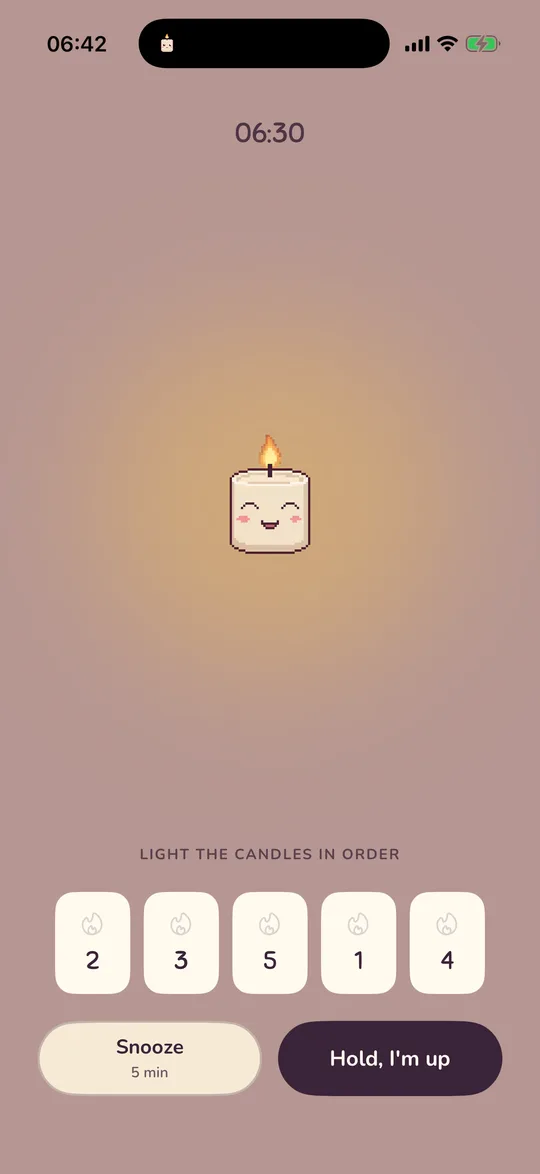
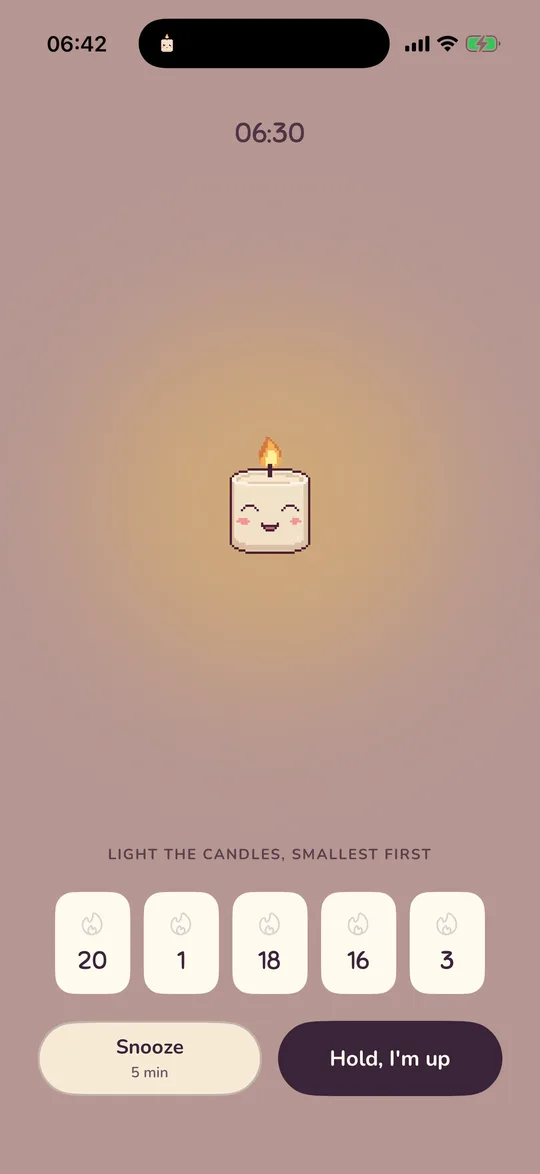
With VoiceOver on, shuffling and moving tiles are paused so the missions stay solvable by touch.
Routine after waking
With the routine switch on, the alarm hands you to a timed routine once you are up. Pick one of the five built-ins or any of your custom ones, then set the length on the duration wheel (5 to 60 minutes in steps of 5). With the switch off, the alarm rings, Wick wakes with you, and there is no timer after. Routines have their own page: Routines and Focus.
Snooze
Snooze is per alarm. The duration wheel runs from 1 to 15 minutes, 5 by default. How many snoozes you get depends on the phone:
| Phone | Options | Notes |
|---|---|---|
| iOS 26+ | Off / On | On means unlimited. Apple's alert shows its own Snooze button, and Dawnling's wake screen shows one too. A snooze from inside Dawnling arms a one-off alarm through Apple's alarm system, so it is as reliable as the alarm itself. |
| iOS 17 / 18 | Off / 1× / 2× / 3× / ∞ | Counted per alarm per day, reset when you get up. The wake screen shows how many are left. The re-fire is a notification titled "(again)". |
| Android | Off / On | On means unlimited. The notification has a "Snooze N min" button. |
On iOS 26, pressing a power or volume button while the alert is on screen stops the alarm; it never snoozes. That is Apple's rule.
Sound and test
Eighteen tracks in five groups, each auditioned with a tap: Lo-Fi (Quiet lo-fi is the default), Jazzy, Uplifting, Nature and two Buzzers for the mornings that need one. A small robot icon marks the tracks that were AI-generated; the credits in Settings list every artist.
The alarm rings at your phone's ringer volume on iPhone, and at the alarm volume on Android. Dawnling does not fade it in.
Hear it in 10 seconds rings this exact alarm through the real path. Lock the phone first; that is the morning it proves. The test never opens a morning and never counts in the reliability log.
Delete and undo
Swipe an alarm card to the left and let go past the red pill, or tap the pill. The alarm is gone at once, and a line at the bottom says Alarm at 06:30 deleted with an Undo button for six seconds. The Delete alarm button at the bottom of the editor asks first.
Two alarms close together
- Two alarms at the same minute are treated as one morning: the second is merged in and silenced.
- Two alarms at different times while you are still in the first morning: the second waits and follows the first.
- If the app is killed in the middle of a morning, it picks up where it was for up to six hours: on "I'm up" without redoing the mission, or on the running routine timer.
Not answered here? Email and a person reads it, usually the same day.
hello@dawnling.app